
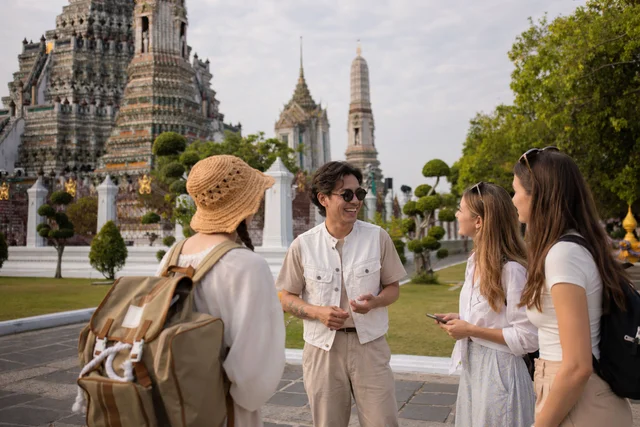
Everything you need to stand out and get booked.
Your profile is your shop window. This guide walks you through every element — from your main photo to your bio — so you can make the best possible first impression on travellers.
Your Name on Find A Local
Find A Local is built on real, personal connections. Using your genuine first name is one of the simplest and most important things you can do to build trust with travellers before they've even read your bio.
What travellers see
 Your verified first name is displayed publicly on your profile and in search results
- Your last name is kept private — it is only shared with a traveller once a booking is confirmed
- You will be asked to verify your name during the profile verification process
Why this matters
Travellers are spending a day with a stranger in an unfamiliar city. A real, verified name is one of the most immediate signals that they're in safe hands.
- Trust — travellers respond more confidently to real names than usernames or aliases
- Authenticity — it aligns with the genuine, personal experience Find A Local promises
- Safety — real names create accountability on both sides of every booking
Privacy protection for locals
We understand that displaying your full name publicly isn't always comfortable — and we've designed the system with that in mind. Your last name is never shown to people you haven't confirmed a booking with. If you have concerns about privacy in your specific situation, please contact our support team.
Setting your name
- Enter your real first name as it appears on your ID
- You may add a middle name or shortened version if that's what you go by (e.g. 'Alejandro' → 'Alex')
- Usernames, nicknames unrelated to your real name, or business names are not recommended
Profile Photos
Photos are the first thing travellers notice. A well-chosen set of photos increases trust, shows your personality, and helps travellers imagine the experience before they even read your bio.
Your Main Profile Photo
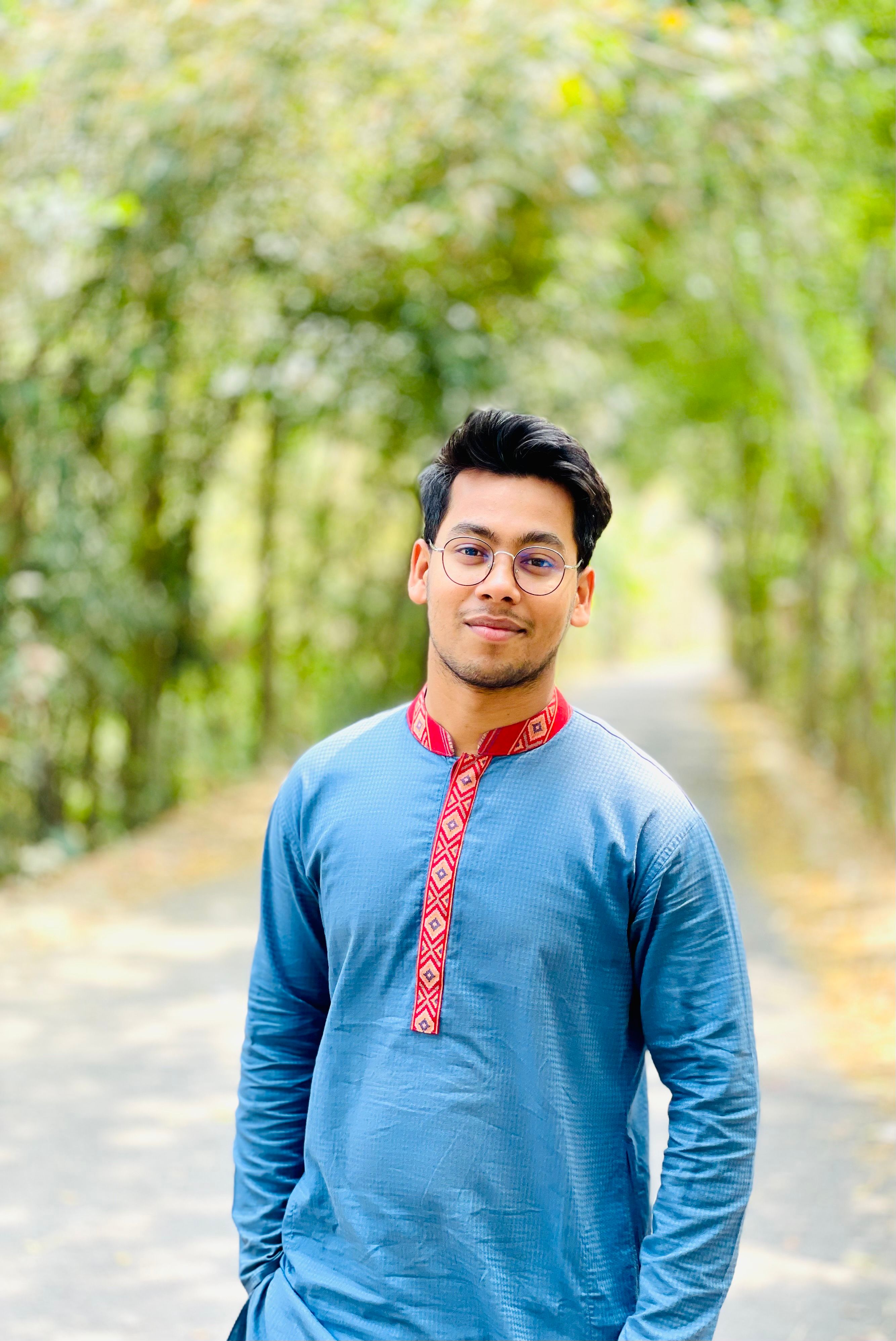
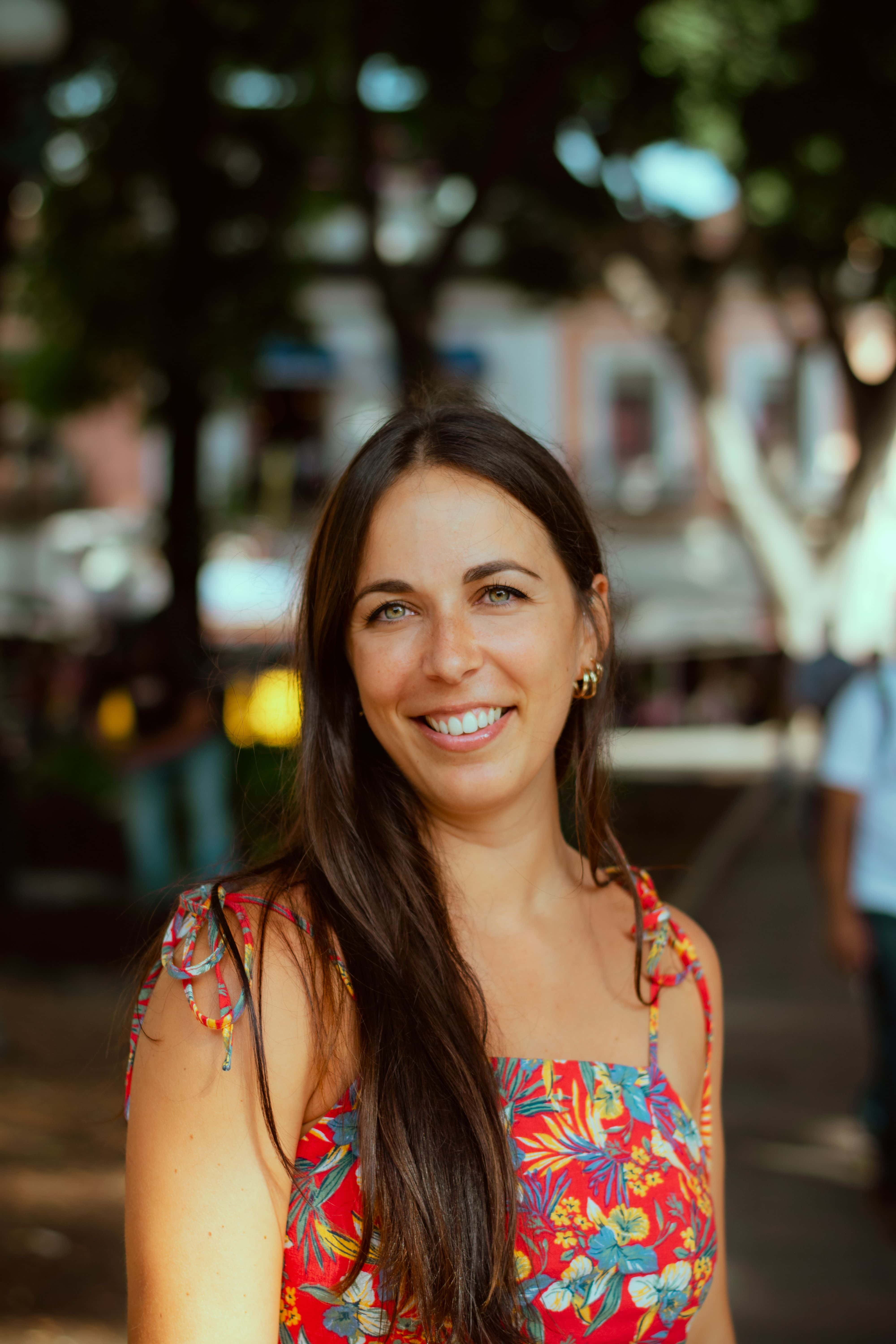
This is the photo travellers see first when browsing. It should be clear, welcoming, and instantly communicate that you're a friendly and knowledgeable guide.
What makes a great main photo:
- Head and shoulders or upper body — face clearly visible
- Natural light, ideally outdoors in your city
- Genuine smile — approachable, not posed
- You as the subject, not a group or a landmark
- High resolution — at least 800 × 800 px
Arjun
 4.9 (24)
 Delhi, India
DO
- Bright, natural outdoor lighting
- Clear view of your face
- Smile and relaxed, natural expression
- Taken in your city — adds context
- Plain or softly blurred background
Priya
4.8 (18)Jaipur, IndiaDON'T
 Dark, blurry or heavily filtered photos
- Sunglasses that hide your face
- Group shots where it's unclear who you are
- Formal ID-style or passport photos
- Logo, artwork or text as your profile image

Jamie
3.2 (4)Delhi, IndiaAdditional Photos
Basic Plan
(up to 3 photos)
Plus Plan
(up to 5 photos)
Premium Plan
(up to 10 photos + 1 video)
Additional photos tell the story of what an experience with you looks like. Think of them as a preview of your tour — each one should answer the question: what will I see and do?
Recommended photo slots:
Main photo
Head/shoulders, clear face, outdoors. See main profile photo above.
You in action
Guiding, pointing at something, talking to a traveller. Shows you in your element.
A local highlight
A favourite spot, hidden gem or iconic location in your city.
Another location
Plus & aboveA different area of the city you cover — shows range.
Culture / food / activity
Plus & PremiumA market, dish, neighbourhood or activity you include in tours.
Additional scenes
Premium onlyMore stops, experiences or moments from a typical tour.
You with travellers
Premium onlyIf you have permission — a genuine moment from a past tour.
Intro video
Premium onlyA short 60–90 sec intro video. See Profile Video below.
TIP Not sure what to photograph? Walk your most popular route with your phone. Capture the spots you'd point out to a traveller — those are your best photos.
Technical Requirements
- Recommended dimensions: 1000 × 1000 px (square, 1:1 ratio)
- Minimum resolution: 800 × 800 px
- Format: JPG or PNG
- Maximum file size: 10 MB per image
- Aspect ratio: Square (1:1) — photos are displayed and cropped square both in search thumbnails and on your profile page. Landscape or portrait photos will be cropped automatically, so make sure your subject is centred.
- No text overlays, watermarks or heavy filters
TIP Before uploading, crop your photo to a square yourself — this way you control exactly what appears, rather than letting the platform crop it for you.
Writing Your Bio
Your bio is where travellers decide whether they want to spend a day with you. It should feel personal, warm, and specific — not a list of credentials.
Structure of a Strong Bio
Consider breaking the bio field into guided sub-sections in the profile editor: 'About you', 'What you'll show me', 'Languages spoken'. This makes it easier for locals to write well and for travellers to scan. Alternatively, show a character count and prompt with example text.
A good bio covers three things:
- Who you are — your background, personality, and connection to your city
- What you'll show — specific areas, highlights, or types of experience you offer
- Why you — what makes your perspective unique, and what travellers say about you
Example Bios
Compare a generic bio with one that feels personal and specific — notice the difference in detail, voice, and invitation.
Example A — Too generic (avoid this)
Hi! I am a local guide in Barcelona. I have lived here for many years and I love my city. I can show you the best places. I speak English and Spanish. Contact me for more info.
Example B — Strong bio (aim for this)
Born and raised in the Gothic Quarter, I've spent 30 years watching Barcelona change — and finding the parts that haven't. I'm a street photographer by trade, which means I see the city differently: the light at 6am on Las Ramblas before the tourists arrive, the hidden courtyards you'd walk past a hundred times without noticing. I speak English, Spanish and Catalan, and I specialise in food markets, architecture and the city's lesser-known neighbourhoods. My tours are small, unhurried and built around what you actually want to see — not a fixed script.
Bio Tips
- Write in first person — 'I' not 'He/She'
- Mention at least one specific street, market, neighbourhood or dish
- Avoid generic phrases: 'the best', 'hidden gems', 'authentic experience'
- Aim for 100–200 words — long enough to feel real, short enough to be read
- End with an invitation: 'I'd love to show you...' or 'Message me and we'll plan it together'
Profile Video
Premium planA short intro video is one of the most powerful things you can add to your profile. Travellers who watch a video are significantly more likely to send a booking request — it builds trust in seconds.
Video upload is available on the Premium plan only. If you're on Basic or Plus, you'll see a clear plan badge and upgrade prompt in your profile editor.
What to Include
- Introduce yourself — your name, your city, and one thing you love about it
- Show a brief glimpse of your city — walk a street, show a market, point at a skyline
- Mention what kind of experience you offer — food, history, photography, etc.
- Keep it conversational — talk to the camera as if you're greeting a traveller
- End with a clear invitation — 'I'd love to show you around' or similar
Technical Specs
- Length: 30–60 seconds
- Format: MP4 or MOV
- Resolution: minimum 720p (1080p preferred)
- Audio: clear voice — film somewhere quiet, not a busy street
- Orientation: horizontal (16:9) — not vertical/portrait
Filming Tips
DO
- Film in natural daylight — outside or near a window
- Hold your phone steady or use a tripod
- Smile and speak naturally — one take is usually best
- Show your city behind you or around you
- Keep it short — travellers won't watch more than 90 seconds
DON'T
- Heavy background noise (traffic, crowds, wind)
- Reading from a script — it sounds unnatural
- Dark or cluttered indoor backgrounds
- Vertical (portrait) framing — it crops badly on profiles
- Long pauses or filler words — edit these out
TIP You don't need a professional camera. A modern smartphone in good light is completely sufficient. The most important thing is that your personality comes through.
Video not yet added? Add a video to your profile — upgrade to Premium to get more bookings.
Upgrade to Premium →Getting Your First Bookings
A great profile gets you found — but being proactive gets you booked. Here are the most effective ways to attract your first travellers.
Use the Trips feature
Trips lets you browse travellers who are currently visiting or planning to visit your city. Send them a personalized offer — mention something specific about their trip dates or interests. A tailored message converts far better than a generic one.


Respond quickly
Travellers often contact several locals at once. A fast, friendly response dramatically improves your chances of securing the booking. Aim to reply within a few hours.
TIP Your first 3–5 reviews are the most important. Consider offering a slightly lower rate for your first few bookings in exchange for an honest review after the tour.
Setting Your Hourly Rate
Your hourly rate is entirely your decision — Find A Local takes zero commission. Here's how to think about it.
Browse other local profiles in your city to see the going rate. If you're just starting out, pricing at or slightly below the average for your city is a sensible way to get your first bookings and reviews.
You can change your rate at any time
As your reviews grow and your reputation builds, increase your rate accordingly. Many experienced locals review and adjust their pricing every few months.
TIP Your rate is your hourly base. Always agree the total expected cost and method of payment in advance — including any entry fees, food or transport — with your traveller before the tour begins.
Reviews & Reputation
Reviews are the single biggest factor in a traveller's decision to book. Profiles with five or more positive reviews receive significantly more enquiries.
How to get reviews
- Complete every tour professionally — punctuality, enthusiasm and local knowledge matter
- After the tour, send a short message thanking the traveller and inviting them to leave a review
- Find A Local sends an automatic review prompt by email after each completed tour
Quick Links
Local Guide FAQ
Answers to the most common questions about your profile, payments and bookings.
Read the FAQ →Local's Plans
Compare Basic, Plus and Premium — and find the plan that fits where you are.
See plans →Become a Local
New here? Start with our guide to signing up and getting verified.
Get started →Ready to go further? Upgrade to Plus or Premium.
Unlock unlimited messages, more photos, and — on Premium — a profile video and top placement in your city's search results.
See Local's Plans →